Managing my monthly subscription
Change your box size. For our monthly fruit and vegetable boxes, different sizes are available: small, medium or large. Box contents can be modified for the fruit box only 💡 Yet you can switch size a…
Change your box size
For our monthly fruit and vegetable boxes, different sizes are available: small, medium or large.
Box contents can be modified for the fruit box only 💡
Yet you can switch size at any time:
- Log in to your CrowdFarming account
- Click on your profile icon in the top right corner
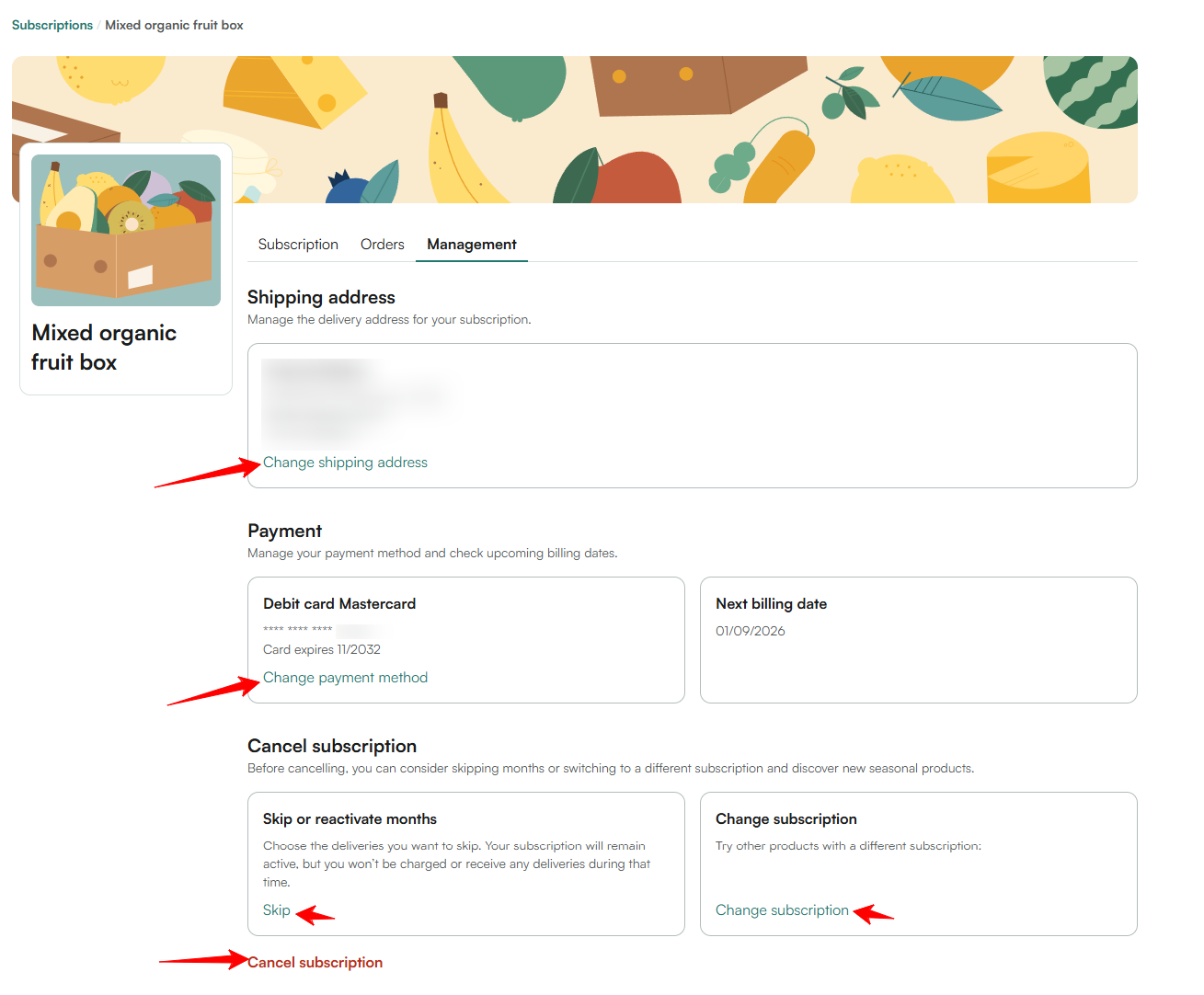
- Go to Subscriptions and select the relevant subscription
- Click Change size, choose your new size and save
Skip a delivery
You don't need a box one month? You can skip one or more deliveries:
- Go to Subscriptions and select the relevant subscription
- Use the Skip button for the month(s) you want to skip
💡 If the current month box is already generated, cancel it directly from your Orders section — as long as the order is not yet being prepared. You'll receive the amount as credits to use on a future order.
Change your delivery date
Once your monthly order is generated, you'll receive an email with your assigned delivery date. To change it:
- Go to Orders and open the relevant order
- Click Change date and select a new available date
❓ Questions? Contact our team →
How can I pause my monthly subscription?
What's in my box and can I personalise it?